Assets
Assets is the last collapsible section in the Tools panel, below Ready circuits. It's where this workspace's saved files live, and where you bring outside files in, with a count next to the section title showing how many it holds:
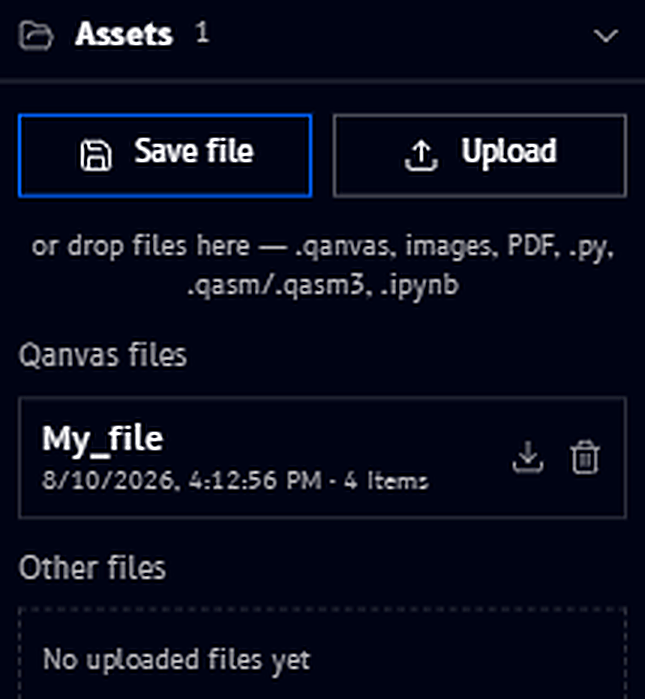
Save file and Upload
Two buttons sit at the top of the panel:
- Save file - saves the current workspace (same action as Save file in the top bar)
- Upload - opens a file picker to bring a file in, the same as dragging one onto the canvas
Below them, you can also drop files directly onto the panel. The supported types are listed right there: .qanvas, images, PDF, .py, and .qasm/.qasm3.
Qanvas files
This lists other .qanvas workspace files you've saved, each with when it was last saved and how many items it contains, for example My_file, saved 8/10/2026, 4:12:56 PM, with 4 items. The download and trash icons next to an entry let you download or delete that saved workspace without having to open it first.
Other files
This lists standalone files you've uploaded into this workspace, images, PDFs, Python scripts, and OpenQASM files, so you can drag one onto the canvas again (as an Upload block) without re-uploading it. It starts out empty, "No uploaded files yet", until you upload or drop something.