Circuit
The Circuit block (found under Quantum in the Tools panel) places a circuit-building item on the canvas, the Qanvas equivalent of the Circuit panel in Qompile. Like other blocks, it has a name (shown here as "Circuit · Alpha"), and lock, expand, and close controls in its header.
Building a circuit
Place a Circuit block on the canvas, then drag gates from Operations onto its qubit wires. Here's an H + CNOT + measurement circuit on two qubits:
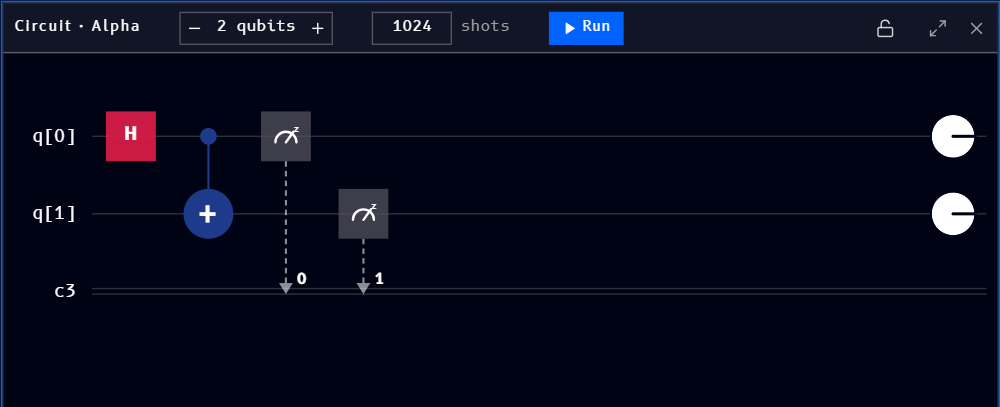
A circuit can also arrive already built, for example by converting an OpenQASM file into a Circuit block.
Qubits
Use the - / + stepper next to the qubit count to add or remove quantum registers. The same circuit with an extra, unused third qubit added:
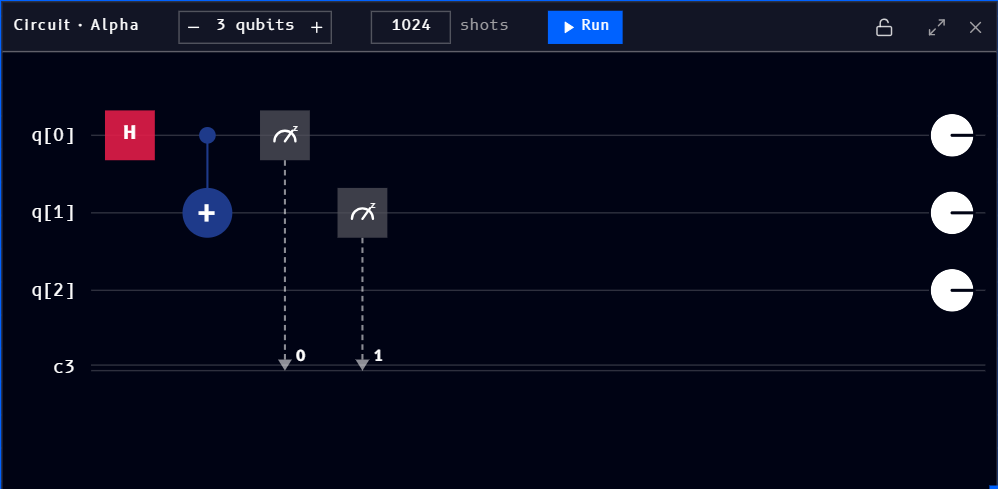
Clicking - back down to 2 qubits removes the unused register and returns to the circuit shown above.
Naming and multiple circuits
Each Circuit block gets its own name, shown at the left of its header ("Circuit · Alpha" above). A workspace isn't limited to one circuit: adding another Circuit block names it Beta, then Gamma, and so on, so you can build and compare several circuits side by side on the same canvas:
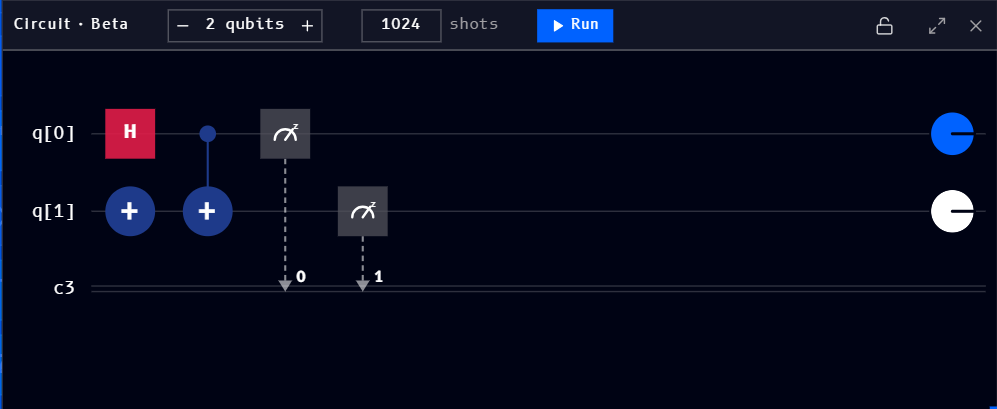
This naming is what the Coding, Bloch sphere, Q-Sphere, and Results blocks use to let you pick which circuit they're showing.
Shots
The shots field (defaulting to 1024) sets how many times the circuit runs when you click Run.
Running
Click Run to execute the circuit for the given number of shots.