Customizing your circuit
Name
Click the circuit's name (shown as "Untitled circuit" by default, in the top bar) to rename it. It becomes an editable text field with confirm and cancel controls:

- Type the new name, then either:
- Click the checkmark (or press Enter) to confirm the new name
- Click the X (or press Escape) to cancel and keep the previous name
File / Edit / View dropdowns
Three menus in the top bar give you file management, editing, and workspace controls.
File
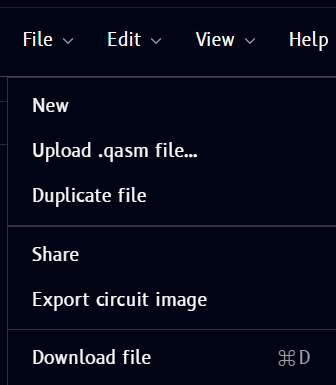
| Item | What it does |
|---|---|
| New | Start a new, blank circuit |
| Upload .qasm file... | Import a circuit from an OpenQASM file |
| Duplicate file | Create a copy of the current circuit |
| Share | Share the circuit with others |
| Export circuit image | Save the circuit diagram as an image |
| Download file | Download the circuit file (⌘D) |
Edit
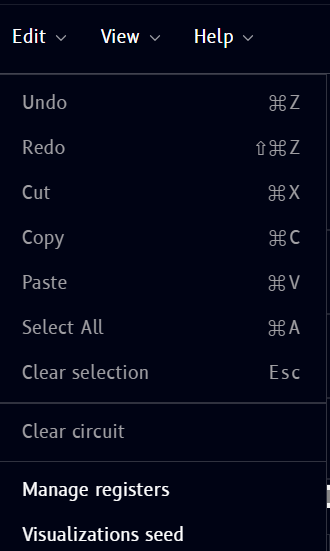
| Item | Shortcut | What it does |
|---|---|---|
| Undo | ⌘Z | Undo the last action |
| Redo | ⇧⌘Z | Redo the last undone action |
| Cut | ⌘X | Cut the selected operation(s) |
| Copy | ⌘C | Copy the selected operation(s) |
| Paste | ⌘V | Paste previously cut/copied operation(s) |
| Select All | ⌘A | Select every operation on the circuit |
| Clear selection | Esc | Deselect everything |
| Clear circuit | - | Remove all operations from the circuit |
| Manage registers | - | Add, remove, or edit quantum/classical registers - see Circuit → Managing registers |
| Visualizations seed | - | Set the seed used for Q-Sphere/Statevector randomness - see Circuit → Visualizations seed |
Note
Undo/redo, cut/copy/paste, and register management are also covered in more depth on the Circuit page - this menu is just the entry point for those actions.
View
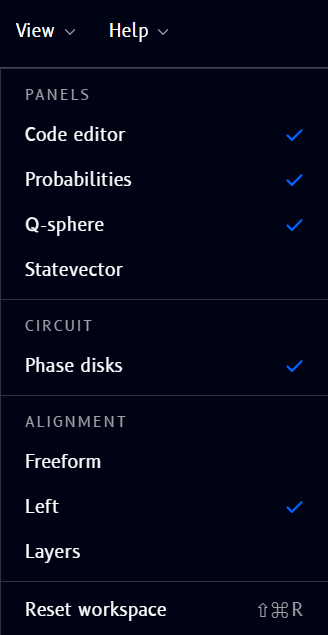
Controls which panels are visible and how the circuit is arranged:
- Panels - toggle Code editor, Probabilities, Q-sphere, and Statevector on/off
- Circuit - toggle Phase disks on/off
- Alignment - switch between Freeform, Left, and Layers layout modes
- Reset workspace (⇧⌘R) - restore the default panel layout