Ready circuits
Ready circuits is its own collapsible section in the Tools panel, below the Tools categories. It's a library of prebuilt circuits, grouped by category, that you can drop directly onto the canvas as a fully-formed Circuit block instead of building them gate by gate.
Bell states
The first category is Bell states, entangled two-qubit states built from just a Hadamard and a CNOT. Clicking the ⓘ icon next to the category name explains the shared idea, "Maximum two-qubit entanglement", and four tiles show the four Bell states with their formulas:
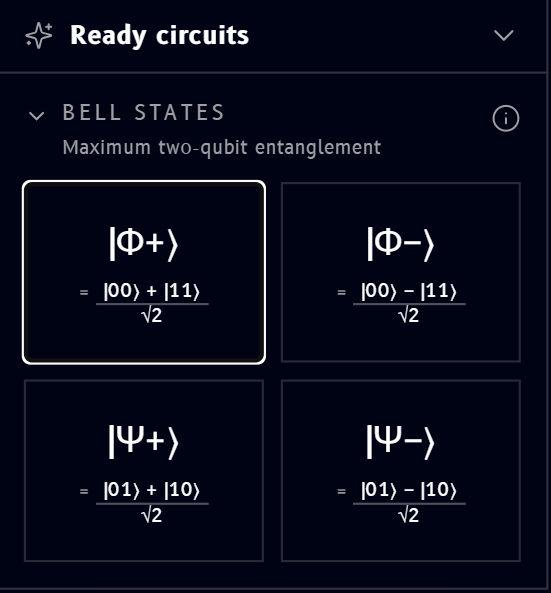
- \( |\Phi^+\rangle = \dfrac{|00\rangle + |11\rangle}{\sqrt{2}} \)
- \( |\Phi^-\rangle = \dfrac{|00\rangle - |11\rangle}{\sqrt{2}} \)
- \( |\Psi^+\rangle = \dfrac{|01\rangle + |10\rangle}{\sqrt{2}} \)
- \( |\Psi^-\rangle = \dfrac{|01\rangle - |10\rangle}{\sqrt{2}} \)
Although all four look similar on paper (each is an equal superposition of two basis states), clicking each tile drops a genuinely different circuit onto the canvas, an extra X gate or two before the usual H + CNOT, to steer the result to that specific Bell state:
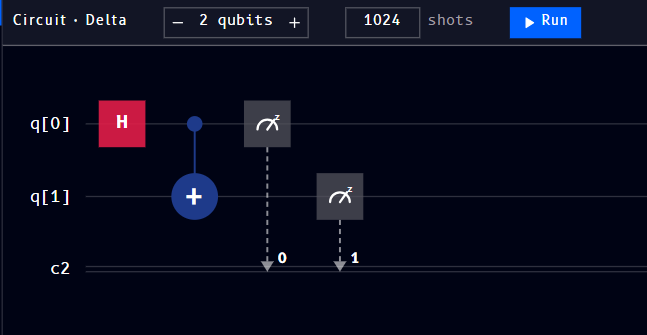
Just H then CNOT, the base pattern.
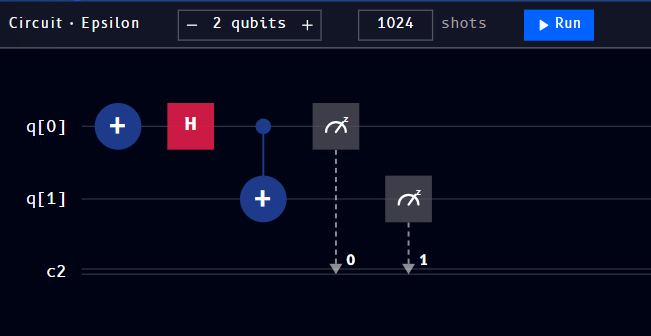
An X on q[0] before the H flips the relative sign, + becomes -.
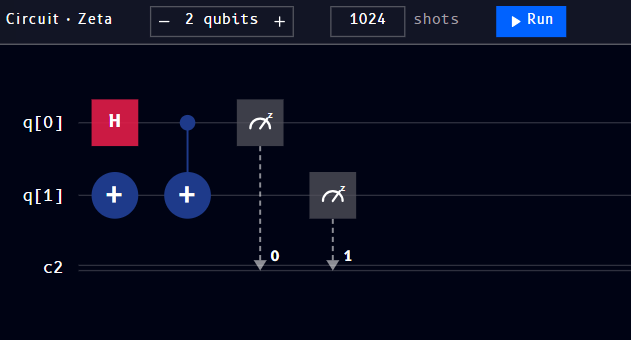
An X on q[1] before the H + CNOT swaps which pair of outcomes gets correlated, 00/11 becomes 01/10.
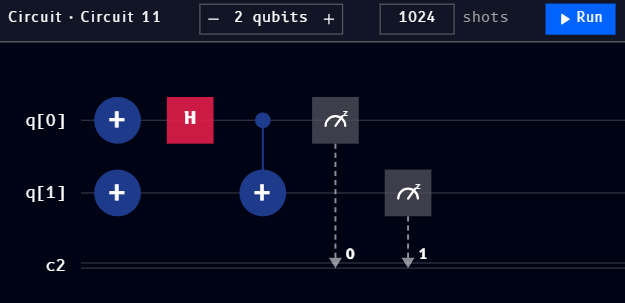
An X on both q[0] and q[1] combines both effects at once.
Note
The block names above (Delta, Epsilon, ...) are just this workspace's auto-generated names at the time these were captured, see naming multiple circuits. Yours may come out named differently depending on what's already on your canvas.
Once dropped onto the canvas, a ready circuit is a normal, fully editable Circuit block, drag more gates from Operations onto it, add qubits, or change the shot count, exactly as you would with one you built from scratch.