Tour of Qompile
When you open Qompile, you land on the circuit editor. The interface is split into a few main regions:
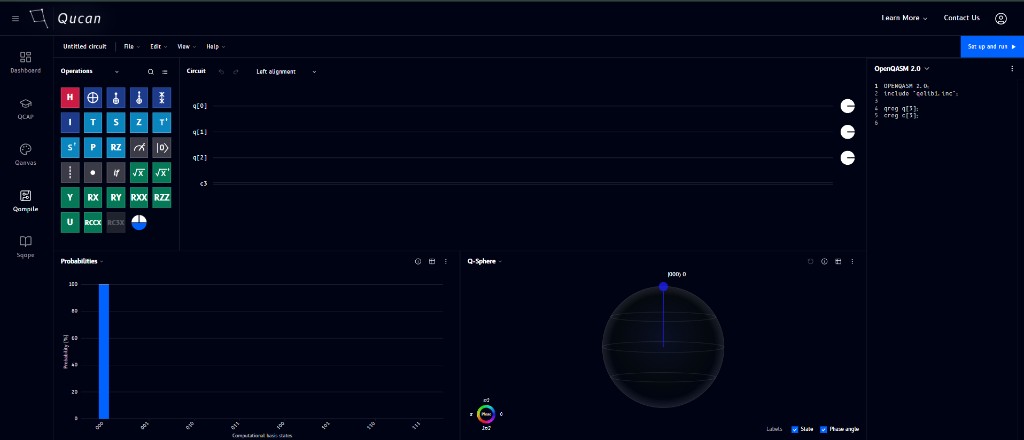
| # | Region | What it's for |
|---|---|---|
| 1 | Top bar | Circuit name, File / Edit / View / Help menus, and the Set up and run button |
| 2 | Operations panel (left) | The gate catalog - search and browse gates to drag onto your circuit |
| 3 | Circuit canvas (center) | Your quantum and classical registers, where you build the circuit |
| 4 | Code panel (right) | Live code view - see your circuit as OpenQASM, Qiskit, Cirq, or Q# as you build it |
| 5 | Probabilities (bottom left) | Bar chart of measurement outcome probabilities |
| 6 | Q-Sphere (bottom right) | 3D visualization of your circuit's quantum state |
The next sections walk through each of these in depth - starting with building a circuit by dragging and dropping gates.
Note
Panels can be moved, resized, and closed - see Managing windows for details.